


Optical SMD BGA Rework Station
1.Automatic SMD BGA Rework Station with 3 independent heating areas.
2.Lights adjusted for camar
3.Independent switches for IR preheating area
4.Custbalized upper and lower nozzles
Ta'rif
Optical SMD BGA Rework Station
1.Application Of laser positioning SMD BGA Rework Station
Work with all kinds of motherboards or PCBA.
Solder, reball, desoldering different kind of chips: BGA,PGA,POP,BQFP,QFN,SOT223,PLCC,TQFP,TDFN,TSOP,
PBGA,CPGA,LED chip.
2.Product Features of CCD Camera SMD BGA Rework Station
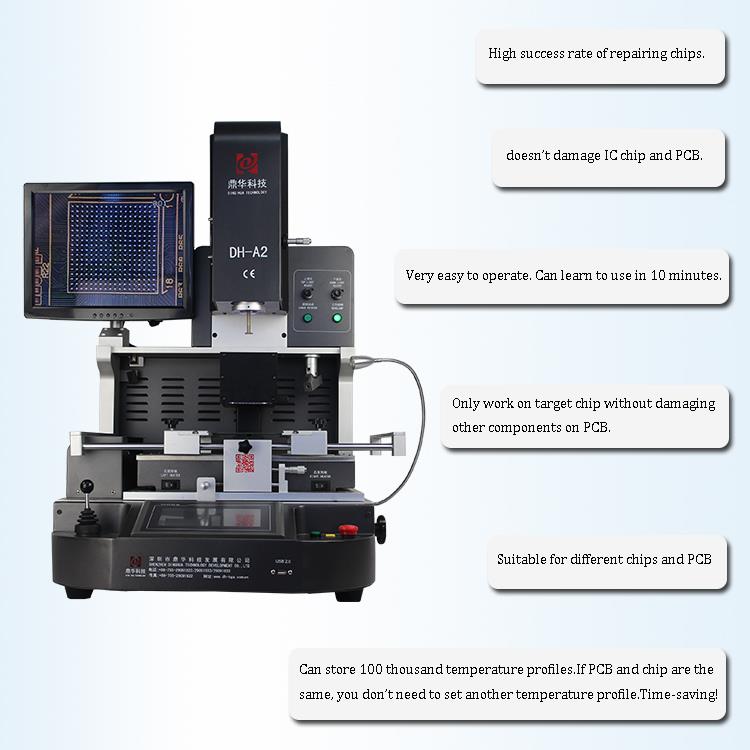
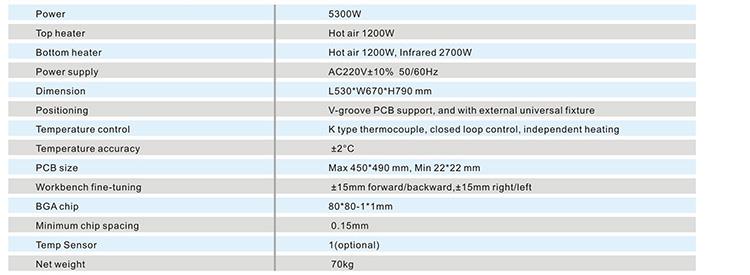
3.Specification of DH-A2 SMD BGA Rework Station
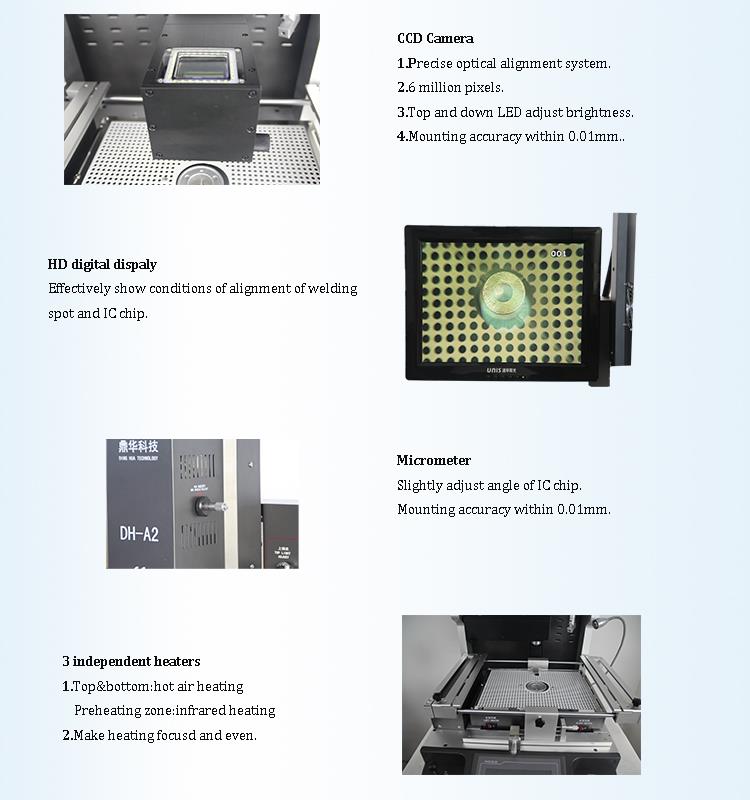
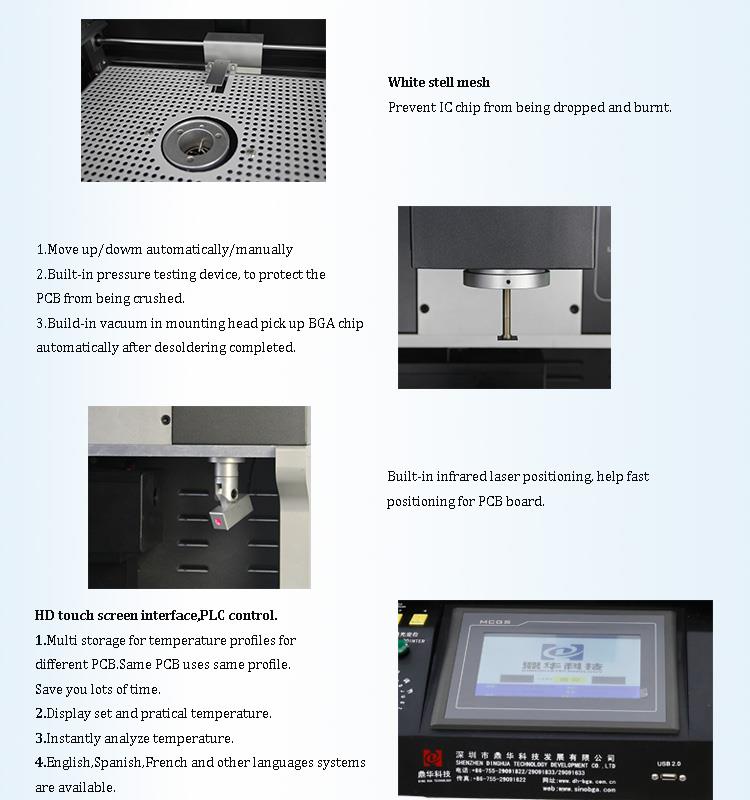
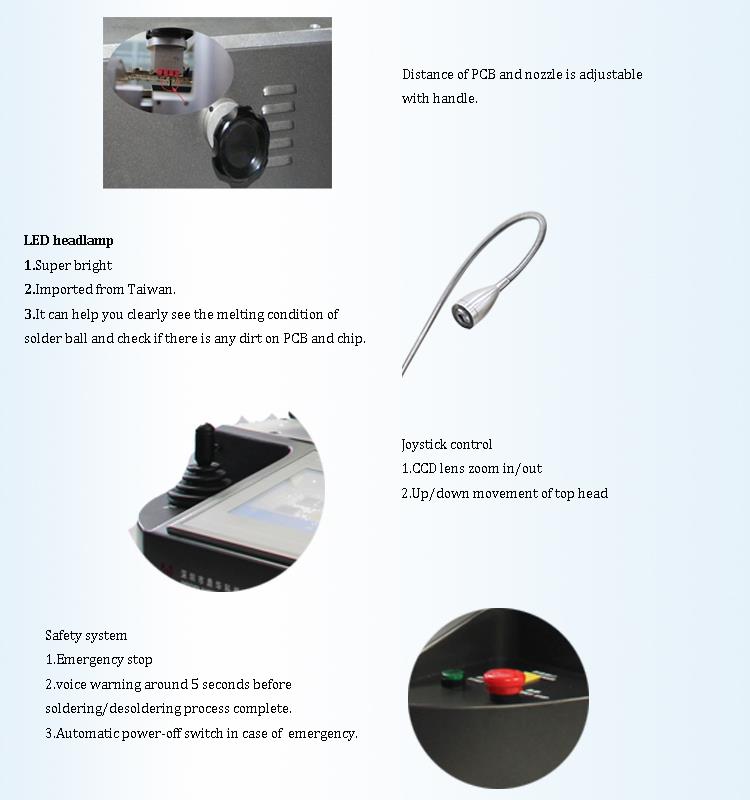
4.Details of SMD BGA Rework Station with optical alignment
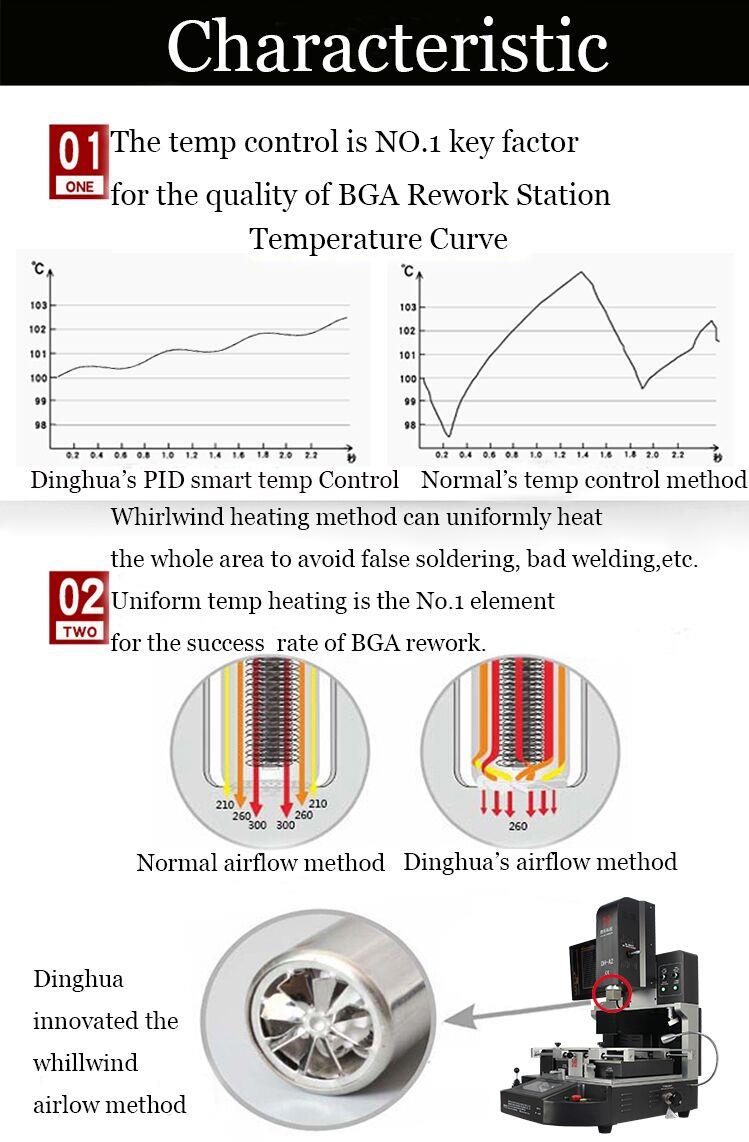
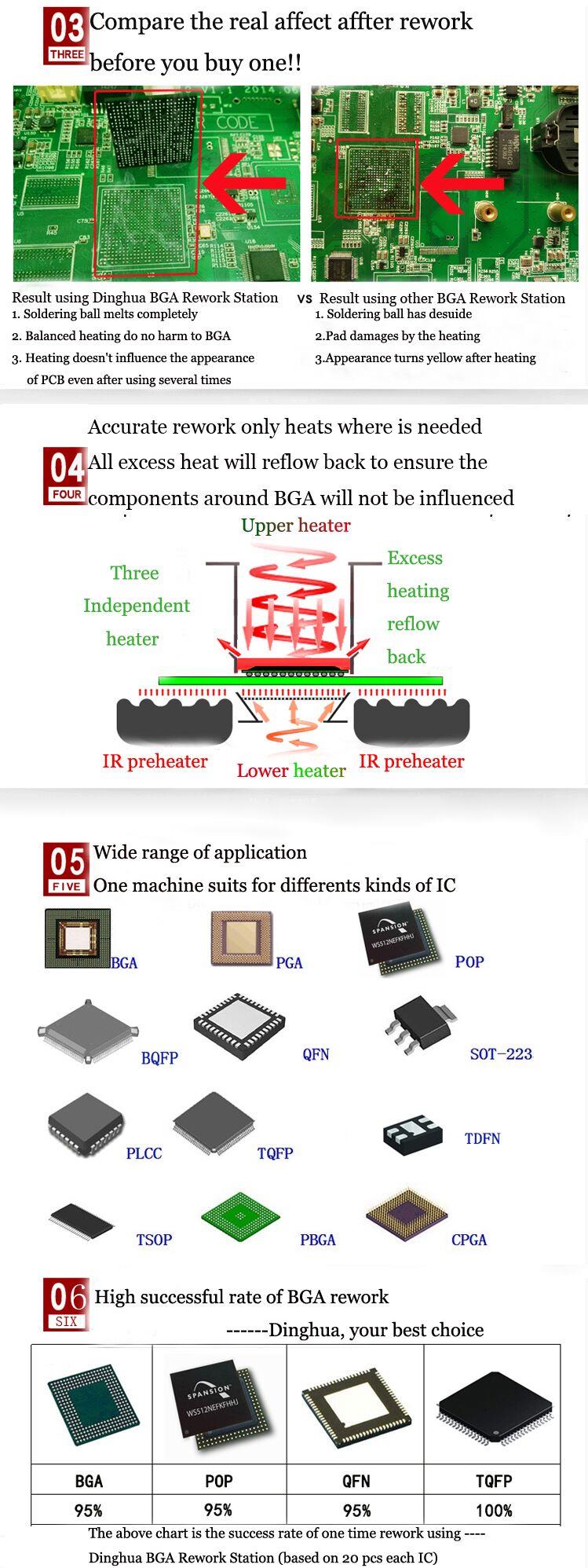
5.Why Choose Our SMD BGA Rework Station?
6.Certificate of SMD BGA Rework Station Split Vision
UL, E-MARK, CCC, FCC, CE ROHS certificates. Meanwhile, to improve and perfect the quality system,
Dinghua has passed ISO, GMP, FCCA, C-TPAT on-site audit certification.

7.Packing & Shipment of SMD BGA Rework Station

8.Shipment for SMD BGA Rework Station
DHL/TNT/FEDEX. If you want other shipping term, please tell us. We will support you.
9. Terms of Payment
Bank transfer, Western Union, Credit Card.
Please tell us if you need other support.
10. How does the BGA rework station work:
11. Related knowledge
The motherboard battery is a battery used to record the time of the computer system and maintain the accuracy of the
system clock. When the power is not enough, the time will return to the factory date, and the hardware information to
be used when the boot is started, that is, the CMOS BIOS information is maintained. The motherboard battery is a lith-
ium battery that can be charged during use without power.
If the motherboard battery is dead, the computer will not be turned on for two days. The system time is not accurate af-
ter booting. It will return to the production time of the motherboard. The power is insufficient, and the system time will
be slow. For example, it is now January 1, 2013. :00, may show that the display time is 9:00 on January 1, 2013, it is easy
to identify.
1, a boot, computer prompts, CMOS ERROR PRESS F1 TO LOAD DEFAUL (similar to this English, prompting you CMOS
error, let you restore the default value) as shown in Figure 2.
2. After the first recovery, enter the system, prompting you that the time is wrong, you change the time.
3. Power off, turn off the power cord behind the chassis and wait for a few seconds. Plug it in again.
4, boot, and the first step of the phenomenon.
5. After entering the system, the system time is not correct.
Then gently open the case, then put the case horizontally, so easy to observe, find a round battery, the battery diameter is ab-
out 1.5-2.0CM, then press the clip on the battery slot, the battery pops up, then the new battery Press down and make sure t-
he installation is secure. After the motherboard battery is replaced, gently install the chassis.


